Built for the people who cart grain.
Not another transport management app. Boss Harvester was designed start to finish inside a working grain haulage business, so dockets, permits, customer emails and invoices take care of themselves while your trucks keep moving.
See it in two minutes
Not just an app. An admin assistant.
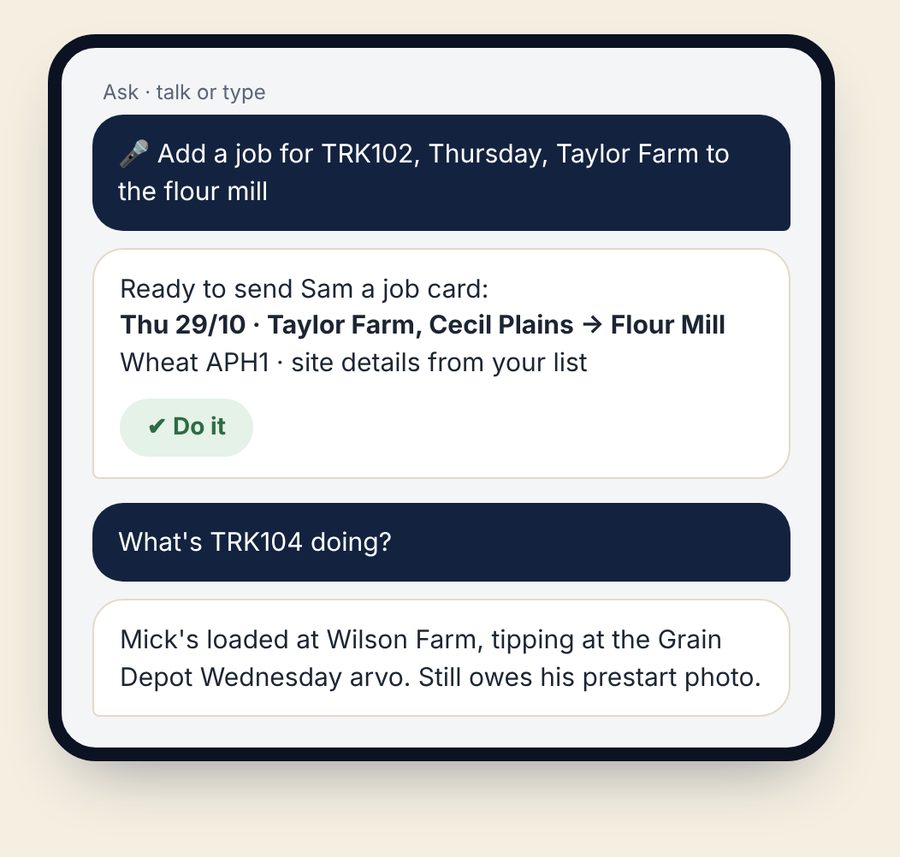
Boss Harvester is backed by AI that does the office work for you. It doesn't take sick days, holidays or smoko, and it never knocks off at five.
- Talk or type to it: "Add a job for TRK102 Thursday, Taylor Farm to the mill" and it gets the job card ready for you to tick
- Ask what's going on: "What's TRK104 doing?", "Who still owes dockets?", "What did we gross this week?"
- Anything that needs you lands in one Needs you list: replies to customers, missing rates, weights to check. Approve with a tap
- Customer docket requests answered from the dockets on file, ready for you to send
The office work that runs itself
Drivers snap their dockets in the Harvester app. From there, the paperwork you used to chase at night is done before you get home.
Customer docket emails every night
Each customer gets one tidy email with that day's dockets attached and the load numbers on them. No forwarding photos from your phone.
Invoices built for you
When a load tips and the rate is in, the invoice is drafted in QuickBooks or Xero with the dockets and weights on it, ready for you to check and send.
RCTIs for your subbies
Weekly recipient-created tax invoices worked out from the runsheet, saved as PDFs and emailed out.
A weekly profit and loss
Gross, fuel, wages, tolls and trailer hire per truck, every Monday, so you know which runs are paying.
Texts that go out on their own
Job cards to drivers, farmer heads-ups before a pickup, service-due reminders. Never between 10pm and 6am unless it's urgent.
Runsheets that write themselves
Every docket a driver sends lands on the runsheet as a run: date, truck, driver, pickup, delivery, product, load number, docket numbers and weights. Nobody types the runsheet up at the end of the week.
Non-conformances drafted for you
Every weight is checked against the truck's limits as the docket comes in. If a load is over, the non-conformance report is drafted with the docket, driver and weights filled in, ready for you to add the reason and sign.
Dockets read for you
The app reads the docket number and weight off the photo and suggests them. The driver checks and taps to use it, so nothing gets filled in wrong.
Harvest mode: set it once, it runs all season
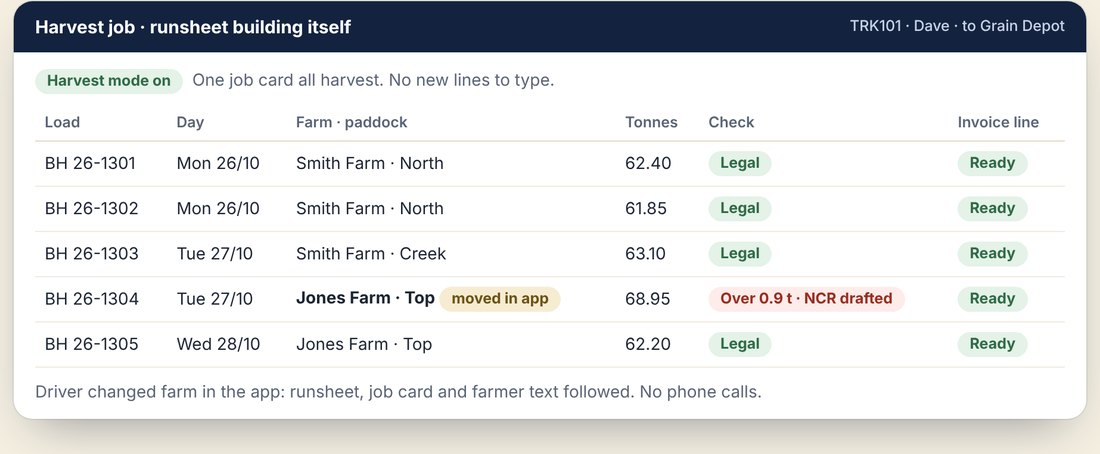
At harvest the trucks go back and forth from the same farm all day. Tick harvest mode on the job and the app takes it from there. You don't keep typing new lines or rows, and you don't chase the driver when he changes farm or paddock. It's all done through the app, automatically.
- One job card per truck for the whole harvest. The driver doesn't get a new text for every load
- Every load becomes its own run on the runsheet as soon as the docket comes in: date, paddock, load number, dockets and weight
- Driver moves to another farm or paddock? He picks it in the app and the runsheet, job card and farmer text follow. No phone calls
- No loading docket at the farm? The app asks "Still carting from Creek paddock?" and logs the load anyway
- Every weight checked as it lands. Over mass and the non-conformance report is drafted for you
- Every load is its own invoice line, so the invoice builds itself through harvest instead of being typed up at the end
- Turn harvest mode off when the paddock's done and the job closes itself
Bookings in seconds, not an afternoon
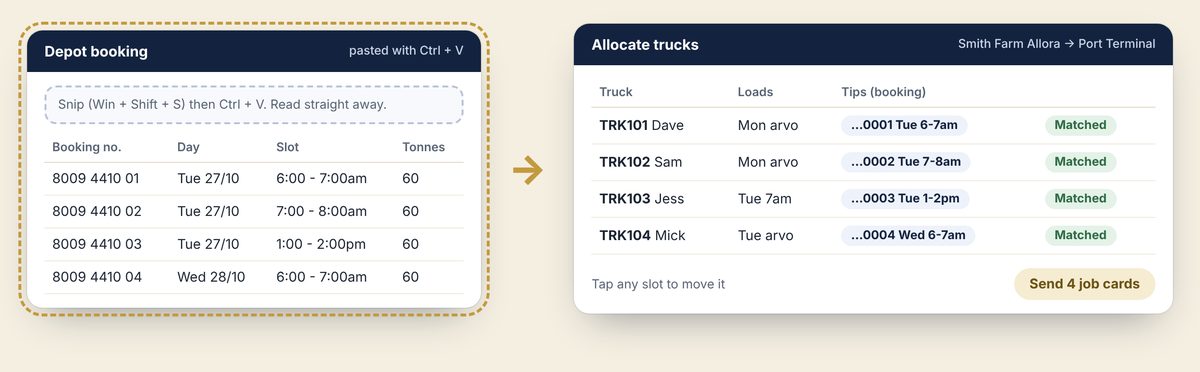
GrainCorp SMO bookings, QBT slots, Ingham's bookings, release numbers, depot booking emails. Snip it off the screen and paste it in. The app reads every booking number, day and time slot and lines them up against your trucks.
- Snip itPress Windows + Shift + S over the booking screen or email. Or forward the email, or take a photo.
- Paste itPress Ctrl + V on the order. Bookings are read straight away and sorted into the pickup end and the delivery end.
- Check the trucksEach slot is matched to a truck, loading the arvo before an early tip. Tap any slot to move it.
- Send the cardsEach driver's job card carries his booking number and slot, and the farmer gets his heads-up text.
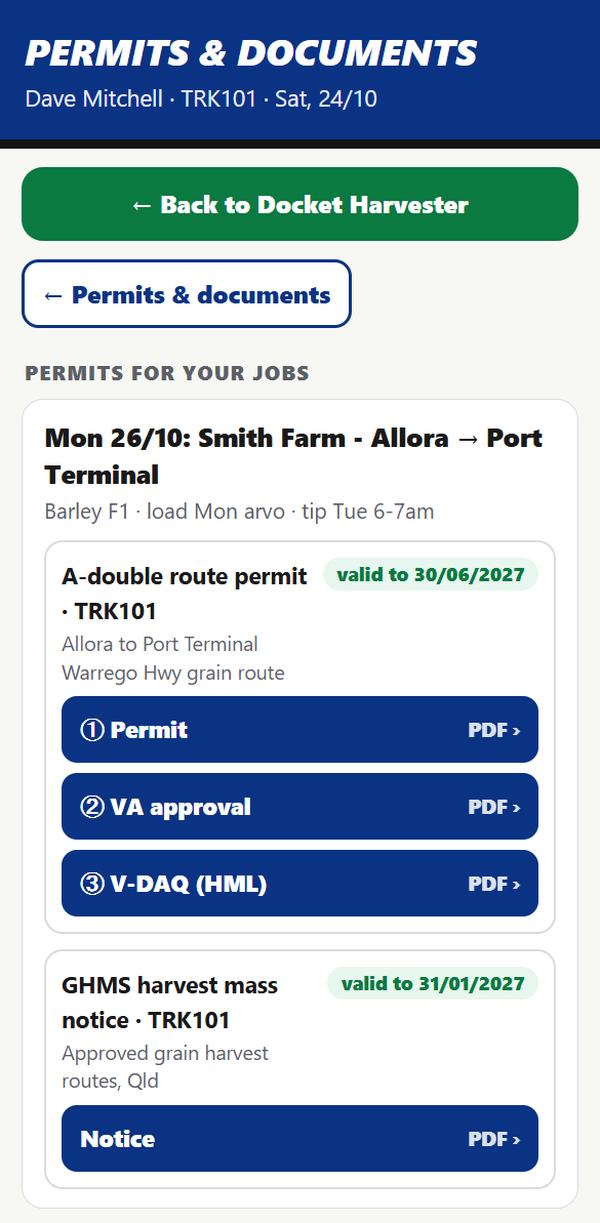
Pulled up at the side of the road? It's one button.
Permits are linked to the run the driver is on. When an inspector asks, the driver shows the right permit and his own details from his phone, without ringing the office.
- The right permit for the truck, trailers and route of today's load
- Driver licence, medicals and inductions, with expiry warnings before they lapse
- Weight checks against the truck's limits, with breaches flagged straight away
- Full service history and maintenance records for every truck and trailer, plus workshop stock lists
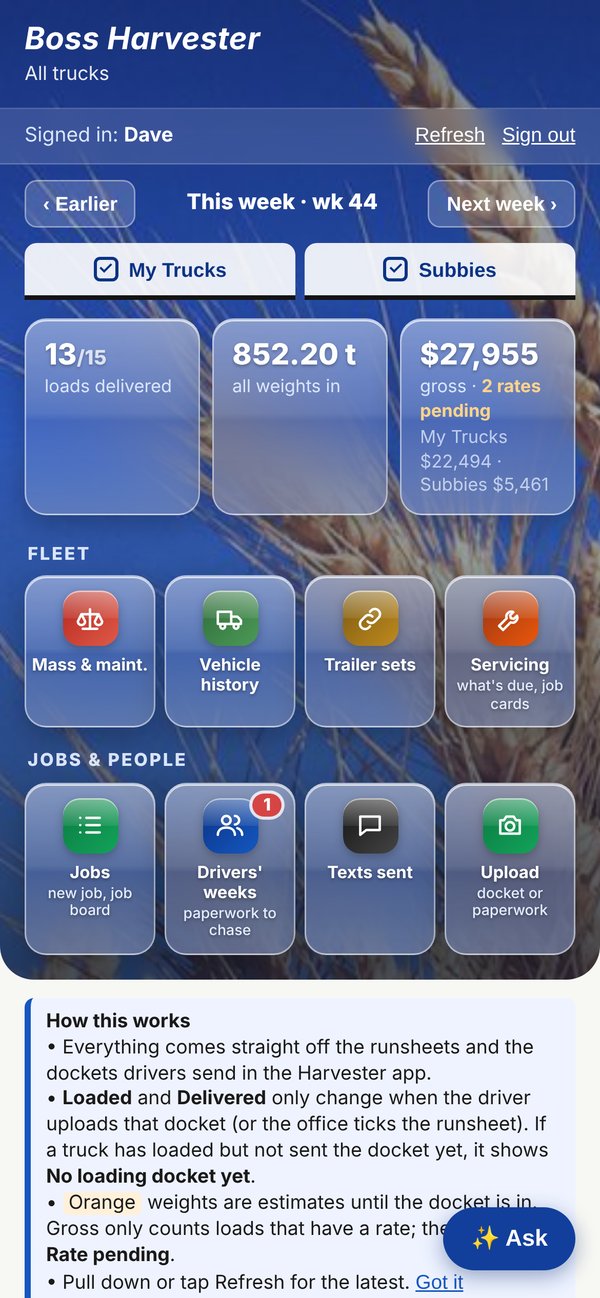
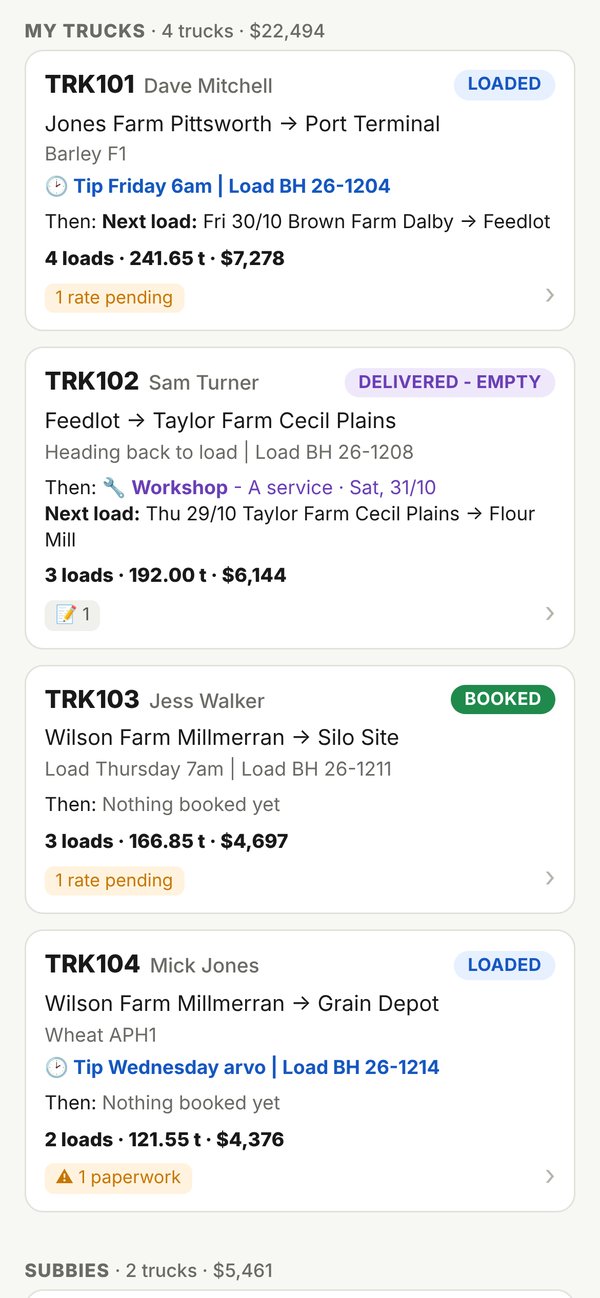
Real screens, from both apps
Harvester is what your drivers use. Boss is what you open in the cab or at the kitchen table. These are real screens, shown with a made-up demo fleet.

Founding fleets
The first ten companies to come on board get half-price setup and their weekly rate locked in for two years. We come to your yard to set it up with you.